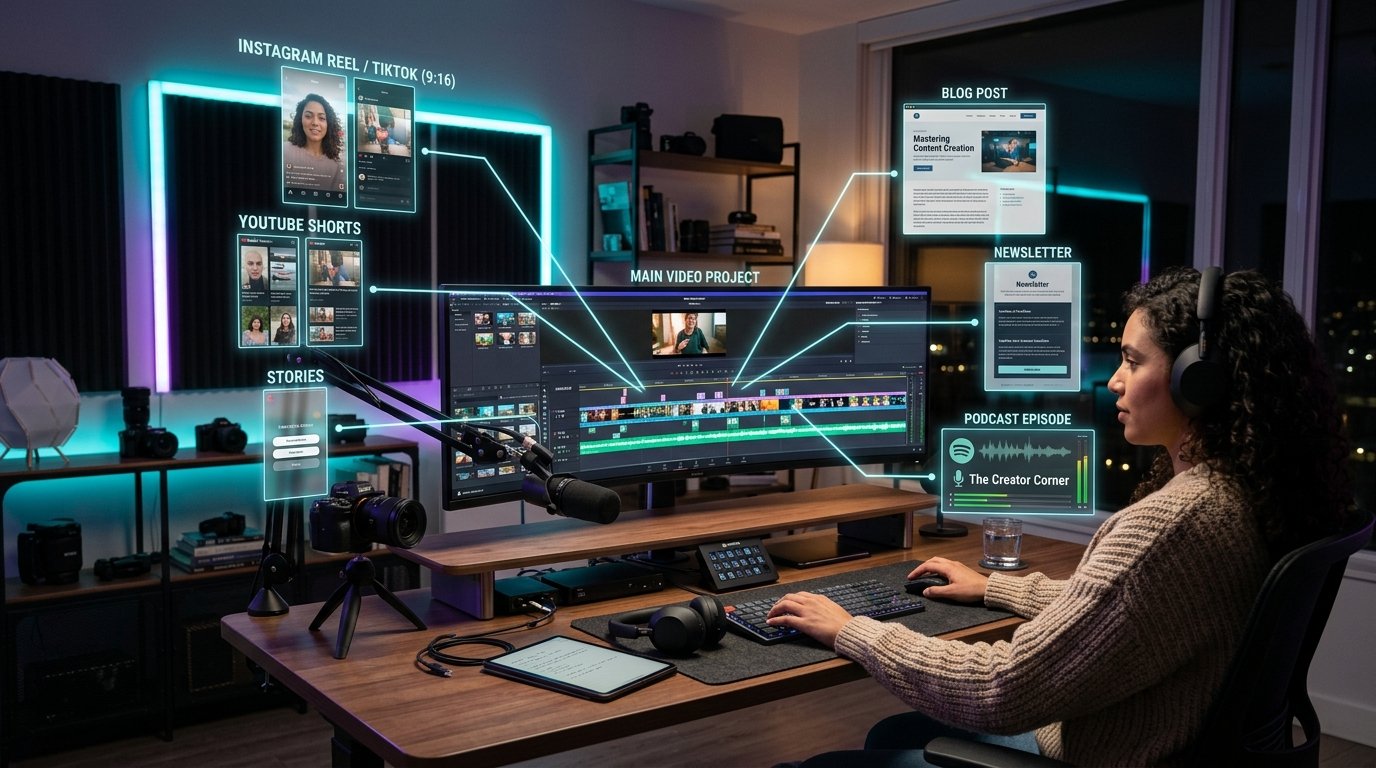
The Content Repurposing Playbook: Converting 1 YouTube Video into 10 High-Traffic Assets
Creating a high-quality YouTube video requires dozens of hours of planning, scripting, filming, and editing. Publishing that video once and letting it sit in a single feed is a major missed opportunity. Every video you record contains a wealth of spoken insights, technical explanations, and actionable takeaways that can fuel your entire content marketing engine.
In this playbook, we outline a systematic framework for converting a single long-form YouTube video into ten high-traffic text and media assets across web blogs, social platforms, email newsletters, and short-form video channels.
- --
The Core Framework: The Pyramid of Content Repurposing
The most efficient media production strategy follows a top-down hierarchy known as the Content Pyramid:
1. **Pillar Asset (Top):** Long-form YouTube video, podcast interview, or recorded lecture.
2. **Derivative Long-Form Text (Middle):** Comprehensive SEO blog post, website guide, and email newsletter.
3. **Micro-Content Assets (Base):** LinkedIn carousels, Twitter/X threads, short-form clips (Reels/Shorts), and visual quote graphics.
By starting with a comprehensive video asset, you eliminate writer's block and ensure all downstream content shares a consistent, authoritative foundation.
- --
Asset 1: Transforming Spoken Monologues into Long-Form Blog Posts
Simply pasting a raw transcript onto a web page does not create a good blog post. Spoken language is full of conversational tangents, incomplete sentences, and verbal fillers that read poorly on screen.
### Restructuring Transcript Text for Web Readers
- **Extract Clear Headings:** Group transcript paragraphs under clear H2 and H3 subheadings that match search queries.
- **Convert Explanations into Bullet Lists:** Break up long spoken paragraphs into scannable bullet points and structured summary tables.
- **Add Code Snippets and Diagrams:** Enhance the text with practical code blocks, step-by-step guides, or visual callouts where appropriate.
- **Embed the Source Video:** Embed your YouTube video near the top of the blog post to increase dwell time and drive cross-platform views.
- --
Asset 2: Drafting Engagement-Focused LinkedIn Articles and Carousels
LinkedIn thrives on professional insights, industry analysis, and practical career frameworks.
### Converting Video Insights for LinkedIn
- **Focus on the Professional 'Why':** Reframe your video's core message around productivity gains, technical workflows, or industry trends.
- **Design PDF Slide Carousels:** Take 5 to 7 key takeaways from your video transcript and format them as a clean, multi-page PDF document. PDF carousels earn significantly higher engagement and dwell time on LinkedIn feeds.
- --
Asset 3: Converting Video Insights into Twitter/X Educational Threads
Twitter/X is an ideal platform for concise, rapid-fire breakdown threads.
1. **The Hook Tweet:** Start with a strong statement or metric summarizing the main benefit of your video.
2. **Body Tweets (5–8 Tweets):** Dedicate each tweet to one specific insight, step, or code snippet extracted from the video transcript.
3. **The Call-to-Action (CTA):** Conclude the thread with a link to the full YouTube video or your website's detailed guide.
- --
Asset 4: Creating Weekly Email Newsletter Breakdowns
Your email newsletter audience represents your most engaged community members. Rather than sending a simple broadcast saying "New Video Published", deliver immediate standalone value in the email body:
- Provide a 3-bullet executive summary of the video.
- Highlight the most important quote or code snippet.
- Include a direct link to read the full article or watch the recording.
- --
Technical Automation: Setting Up a Semi-Automated Content Engine
With tools like TranscriptG, converting video speech into structured text takes only a few seconds. Developers can automate this pipeline using simple webhooks or API integrations:
```typescript
// Example: Processing raw video transcript into multi-channel snippets
function generateContentAssets(transcriptText: string) {
return {
blogArticle: transformToBlog(transcriptText),
linkedInPost: extractProfessionalKeyPoints(transcriptText),
tweetThread: formatTwitterThread(transcriptText),
newsletterSummary: createExecutiveSummary(transcriptText)
};
}
```
- --
Frequently Asked Questions (FAQ)
Will republishing video transcripts as blog posts cause duplicate content issues?
No. Spoken transcript text that has been edited, structured, and formatted into editorial prose is viewed by search engines as original written content. Embedding the source video further reinforces the relationship between the video and the article.
How much time does content repurposing save?
Creating a blog post or social thread from scratch can take 3 to 5 hours. Repurposing an existing video transcript using an established playbook reduces production time down to 20–30 minutes per asset.
- --
Launch TranscriptG today to instantly convert your YouTube videos into articles, blog posts, and social media content!
Launch Free Tools