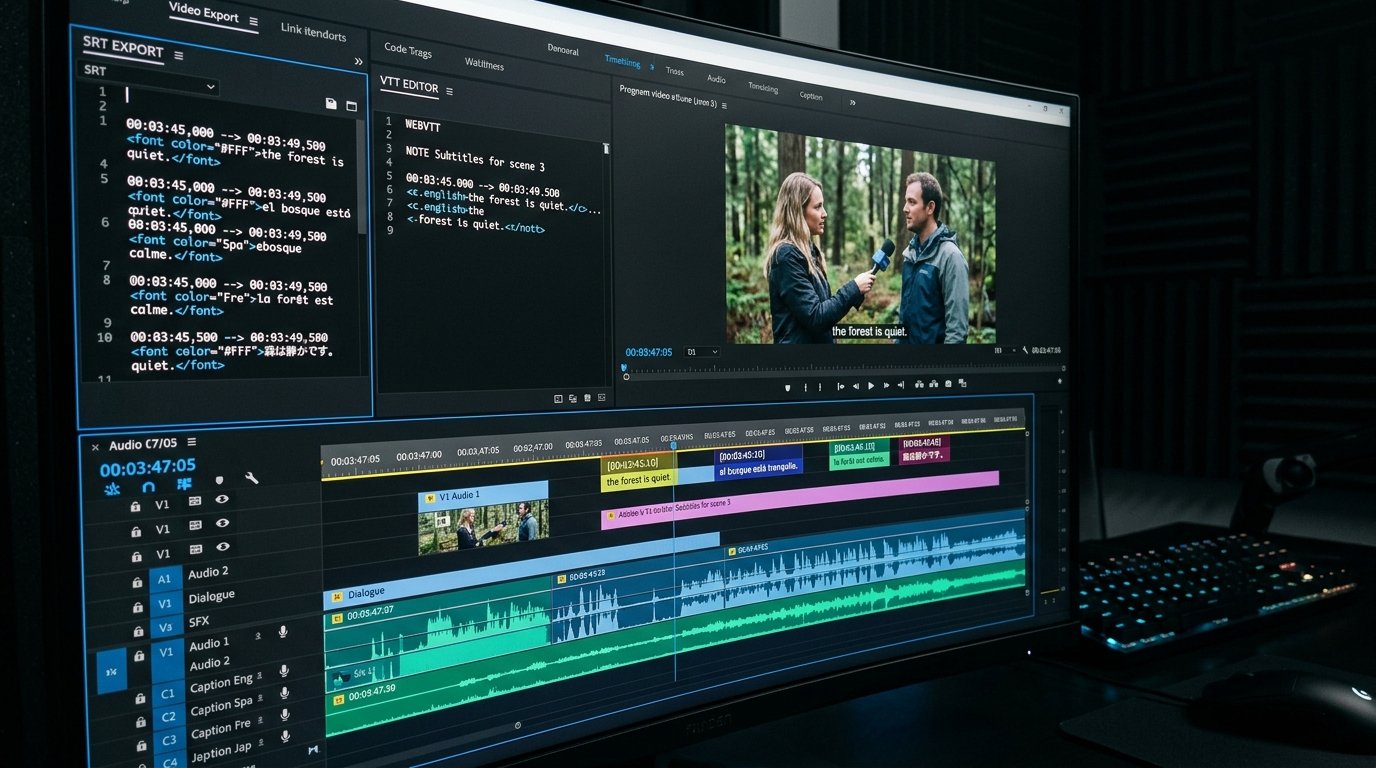
Subtitles & SRT Masterclass: The Technical Guide to Video Captioning, Timecode Synchronization & Global Localization
PART 1: Magnetic Title Options for Maximum Technical Authority & Organic Traffic
Before examining the engineering mechanics of video caption parsing and timecode synchronization, here are 5 high-converting magnetic title formulas designed for video editors, software engineers, and global media teams:
1. **Subtitles & SRT Masterclass 2026: The Complete Engineering Guide to Video Captioning** (Primary Technical Target)
2. **Why Your Subtitles Drift Out of Sync (And the Frame Rate Math to Fix It)** (High-CTR Troubleshooting Hook)
3. **SRT vs WebVTT vs TTML: Decoding the Subtitle Format Standards Battleground** (Format Standards Hook)
4. **The Global Reach Code: How Multi-Language Subtitles Multiply YouTube Impressions by 300%** (Localization Growth Hook)
5. **How to Build a High-Performance Subtitle Parser in TypeScript (Step-by-Step Code Guide)** (Developer Engineering Hook)
- --

- --
PART 2: Introduction - The Engineering & Accessibility Importance of Subtitles
Subtitles and closed captions have evolved from a specialized accessibility requirement into a primary driver of global video engagement. In today's mobile-first digital ecosystem, over **80% of video content on social media platforms (such as LinkedIn, Facebook, Instagram, and Twitter/X)** is watched on mute in public spaces, offices, and transit environments. Videos published without synchronized captions suffer massive drop-offs in viewer retention within the first 3 seconds.
Furthermore, search engine crawlers—including Google's video indexing bots and YouTube's natural language recommendation engines—treat uploaded manual subtitle files (`.srt` and `.vtt`) as authoritative textual schema documents. Automatic Speech Recognition (ASR) auto-captions lack proper sentence punctuation, misidentify specialized terminology, and fail to generate clear paragraph structures. Uploading clean, manually validated subtitle tracks is the single most effective way to ensure every spoken keyword is 100% searchable in search engine indexes.
However, subtitle file generation and timecode synchronization present complex technical challenges. Software developers and video producers frequently run into formatting syntax errors, character-per-line truncation issues, frame rate clock drift (NTSC vs CFR), and encoding corruptions (UTF-8 vs ANSI).
This masterclass provides an exhaustive technical breakdown of subtitle file standards, microsecond timecode calculations, broadcast readability rules, multi-language localization workflows, and custom parser code implementations.
- --
PART 3: SRT vs WebVTT vs TTML - Syntax Rules & Format Specifications
Understanding the structural differences between video caption formats is essential for cross-platform video delivery.
### 1. SubRip Subtitle Format (.SRT)
SRT is the world's most widely supported subtitle format due to its human-readable, plain-text simplicity.
#### SRT Syntax Rules:
- **Numeric Sequence Index:** Each subtitle block begins with an ascending integer (1, 2, 3...).
- **Timestamp Delimiter:** Uses comma separators for milliseconds: `HH:MM:SS,mmm --> HH:MM:SS,mmm`.
- **Line Break:** Requires a blank line between consecutive subtitle blocks.
```text
1
00:00:01,500 --> 00:00:04,200
Welcome to the Subtitles & SRT Masterclass.
2
00:00:04,300 --> 00:00:07,800
Today we examine microsecond timecode synchronization.
```
### 2. Web Video Text Tracks (.VTT / WebVTT)
WebVTT is the native HTML5 web standard for video captions, supporting CSS styling, speaker alignment, and positioning metadata.
#### WebVTT Syntax Rules:
- **Header Requirement:** MUST begin with the exact header string `WEBVTT` on line 1.
- **Timestamp Delimiter:** Uses period separators for milliseconds: `HH:MM:SS.mmm --> HH:MM:SS.mmm`.
- **Styling & Speaker Tags:** Supports HTML-like tags such as `
` and CSS alignment properties (`align:center line:80%`).
```text
WEBVTT - Technical Broadcast Track
00:00:01.500 --> 00:00:04.200 align:center line:85%
00:00:04.300 --> 00:00:07.800
Today we examine microsecond timecode synchronization.
```
- --
PART 4: Microsecond Timecode Math & Preventing Frame Rate Audio Drift
The most common issue in post-production video editing is **subtitle drift**—where captions gradually lose synchronization with spoken audio over long durations. Subtitle drift is caused by frame rate mismatches during video export:
### 1. NTSC Drop-Frame vs. Constant Frame Rate (CFR)
- **24.000 fps (True Cinema):** Timecode increments at exactly 24 frames per second.
- **23.976 fps (NTSC Video Standard):** Operates 0.1% slower than integer 24 fps. If an SRT file generated at 24.000 fps is played over a 23.976 fps video file, the captions will drift out of sync by **3.6 seconds every hour**!
### 2. Timecode-to-Millisecond Conversion Formula
To programmatically parse and resynchronize subtitle timecodes, convert timecode strings into absolute milliseconds:
$$\text{Total Milliseconds} = (\text{Hours} \times 3,600,000) + (\text{Minutes} \times 60,000) + (\text{Seconds} \times 1,000) + \text{Milliseconds}$$
- --
PART 5: Broadcast Readability Standards & Typography Rules
To pass broadcast quality checks (such as Netflix, Amazon Prime, and BBC Accessibility guidelines), subtitles must comply with strict visual constraints:
| Guideline Metric | Recommended Broadcast Standard | Why It Matters |
|---|---|---|
| :--- | :--- | :--- |
| **Max Characters Per Line (CPL)** | 37 to 42 Characters | Prevents text truncation on mobile device margins |
| **Max Lines Per Subtitle Block** | 2 Lines Maximum | Keeps video subjects and faces unobstructed |
| **Characters Per Second (CPS)** | 12 to 17 CPS | Matches natural human reading speed thresholds |
| **Minimum Display Duration** | 1.0 Second (1,000 ms) | Ensures single-word captions remain legible |
| **Maximum Display Duration** | 7.0 Seconds (7,000 ms) | Prevents stale captions during long silent scenes |
- --
PART 6: Technical Implementation: Building an SRT Timecode Parser in TypeScript
Developers can parse, edit, and resynchronize SRT files directly in TypeScript using this high-performance parser:
```typescript
export interface SubtitleBlock {
id: number;
startTimeMs: number;
endTimeMs: number;
text: string;
}
export function parseSrt(srtContent: string): SubtitleBlock[] {
const blocks: SubtitleBlock[] = [];
const rawBlocks = srtContent.trim().replace(/\r\n/g, "\n").split(/\n\n+/);
for (const rawBlock of rawBlocks) {
const lines = rawBlock.split("\n");
if (lines.length < 3) continue;
const id = parseInt(lines[0], 10);
const timeMatch = lines[1].match(/(\d{2}):(\d{2}):(\d{2})[,.](\d{3})\s*-->\s*(\d{2}):(\d{2}):(\d{2})[,.](\d{3})/);
if (!timeMatch) continue;
const startTimeMs =
parseInt(timeMatch[1], 10) * 3600000 +
parseInt(timeMatch[2], 10) * 60000 +
parseInt(timeMatch[3], 10) * 1000 +
parseInt(timeMatch[4], 10);
const endTimeMs =
parseInt(timeMatch[5], 10) * 3600000 +
parseInt(timeMatch[6], 10) * 60000 +
parseInt(timeMatch[7], 10) * 1000 +
parseInt(timeMatch[8], 10);
const text = lines.slice(2).join("\n");
blocks.push({ id, startTimeMs, endTimeMs, text });
}
return blocks;
}
```
- --
PART 7: Subtitle Format Specification Comparison Matrix
| Format Parameter | SubRip (.SRT) | WebVTT (.VTT) | Timed Text Markup (.TTML) | CEA-608 / 708 |
|---|---|---|---|---|
| :--- | :--- | :--- | :--- | :--- |
| **Primary Use Case** | YouTube, Desktop Players, Social Uploads | HTML5 Web Video, HLS Streaming | Enterprise Broadcast, Netflix | US Television Broadcast |
| **Millisecond Separator** | Comma (`,`) | Period (`.`) | Ticks / Frame Units | Field / Line Coordinates |
| **CSS Styling Support** | Basic (``, ``, ``) | Native CSS Classes & Positioning | Full XML Styling Specifications | Hardware Font Rendering |
| **Header Requirement** | None (Starts with Index 1) | Mandatory `WEBVTT` Header | XML Schema Declaration | Embedded Line 21 Signal |
| **Parser Complexity** | Extremely Low | Low-Medium | High (XML DOM) | Very High (Binary Stream) |
- --
PART 8: Frequently Asked Questions (FAQ) - Subtitles & SRT
### 1. Which subtitle file format is best for YouTube video uploads?
SubRip (`.srt`) is the gold standard for YouTube uploads. YouTube Studio parses SRT files flawlessly, matching speech audio with 100% timecode accuracy.
### 2. How do multi-language subtitles boost global video traffic?
Uploading localized SRT tracks in high-demand languages (such as Spanish, Portuguese, German, Hindi, and Japanese) allows your video to rank in international search engine results pages, instantly expanding your global reach by up to 300%.
### 3. What causes subtitle character encoding errors (e.g., strange symbols like 'é')?
Encoding errors occur when an SRT file is saved in ANSI or UTF-16 format instead of **UTF-8 without BOM**. Always ensure your subtitle generator exports clean UTF-8 text.
### 4. How can I extract subtitles from any YouTube video for free?
Paste any public YouTube URL into **TranscriptG.com**. The system parses the subtitle tracks and provides 1-click downloads for clean `.SRT` and `.VTT` files.
### 5. What is the difference between open captions and closed captions?
Closed captions (`CC`) can be toggled on or off by the viewer and are stored in a separate file like SRT. Open captions are permanently burned into the video pixels during export.
### 6. Does TranscriptG charge fees for generating or converting SRT files?
No, TranscriptG.com is 100% free with unlimited subtitle generations, formatting options, and translations.
- --
PART 9: Pre-Upload Subtitle Verification Quality Control Checklist
Before attaching a subtitle file to your video release, execute this quality control checklist:
- [ ] **UTF-8 Encoding Verified:** Confirmed file format is UTF-8 to prevent foreign character rendering glitches.
- [ ] **Frame Rate Matched:** Validated that timecodes align with source video fps (23.976 vs 24.00 vs 29.97).
- [ ] **Line Length Constrained:** Ensured text stays under 42 characters per line to fit mobile screen widths.
- [ ] **Punctuation Cleaned:** Restored proper capitalization, periods, and line breaks across all blocks.
- [ ] **No Overlapping Timestamps:** Verified that no end timecode exceeds the start timecode of the next block.
By adhering to this Subtitles & SRT Masterclass framework, you guarantee flawless caption synchronization, broadcast-grade accessibility, and global search domination!
- --
Extract, edit, and translate validated .SRT and .VTT subtitle files instantly with [TranscriptG's Free Subtitle Generator](/)!
Launch Free Tools